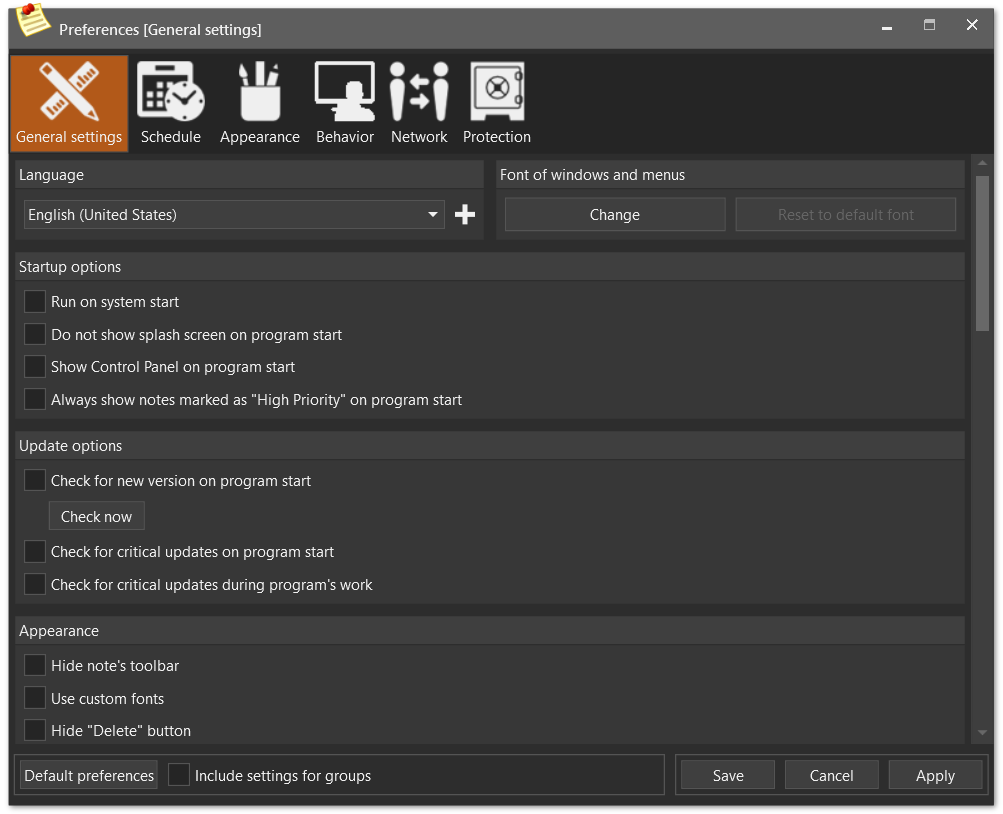
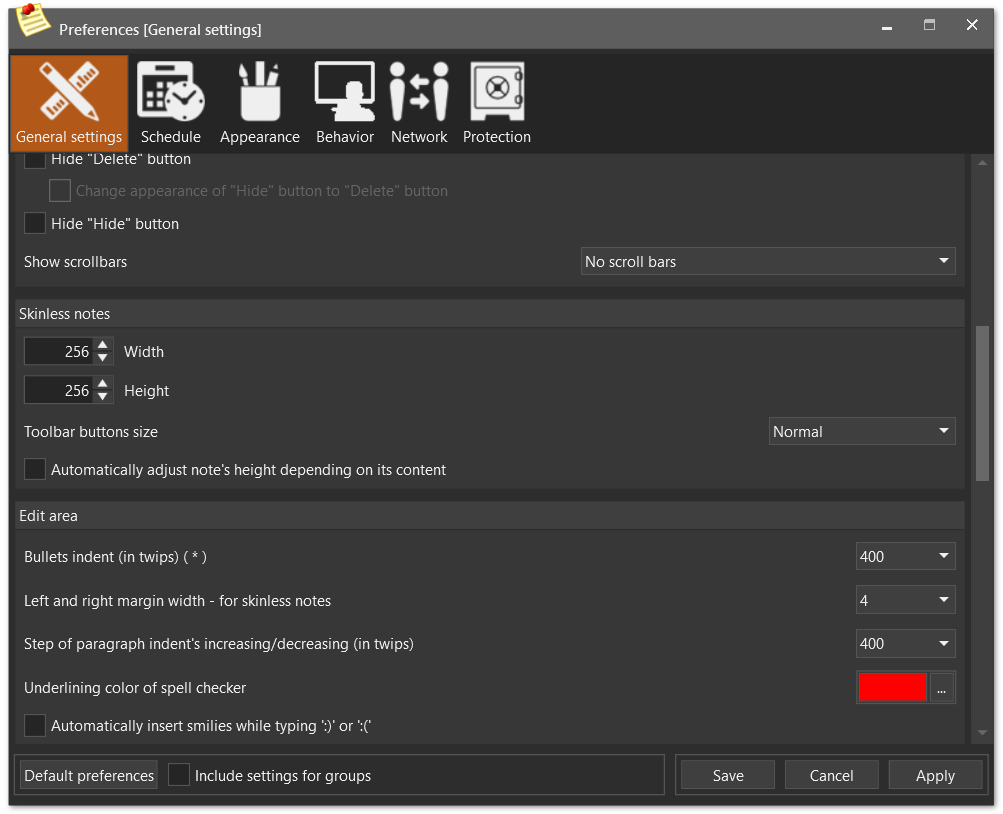
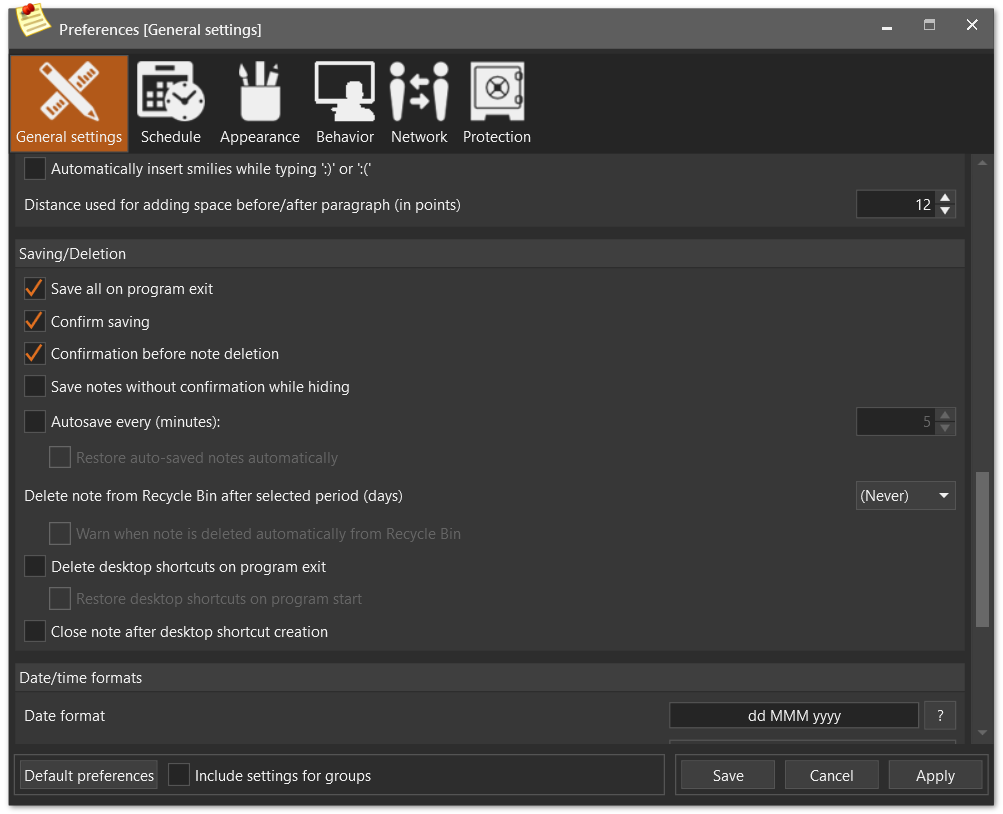
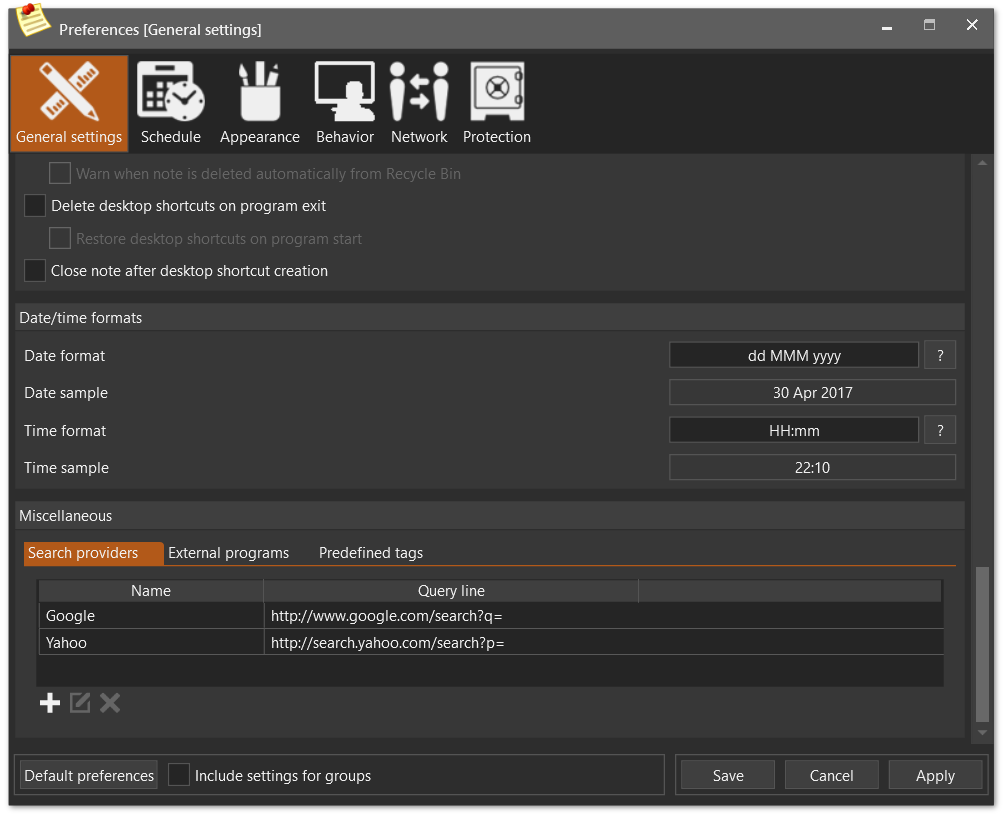
Following options can be set on this page:
| • | Language - select desired UI language in combo box (all translations should be in "lang" subdirectory of program working directory; alternatively their location can be set via command line) (default value is English) |
| • | Font of windows and menus - allows to change UI font. Keep in mind that setting font's size to too large value may change windows' size significantly. |
| ► | Run on system start - check/uncheck appropriate check box (default value is False) |
| ► | Do not show splash screen on program start - check/uncheck appropriate check box (default value is False) |
| ► | Show Control Panel on program start - check/uncheck appropriate check box (default value is False) |
| ► | Always show notes marked as "High Priority" on program start - check/uncheck appropriate check box (default value is False) |
| ► | Check for new version on program start - check/uncheck appropriate check box (default value is False) |
| ► | Check for critical updates on program start - check/uncheck appropriate check box (default value is True) |
| ► | Check for critical updates during program's work - check/uncheck appropriate check box (default value is True) |
| ► | Hide note's toolbar - check/uncheck appropriate check box (default value is False) |
| ► | Use custom fonts - check/uncheck appropriate check box (default value is False) |
| ► | Show scroll bar - check/uncheck appropriate check box (default value is False) |
| ► | Hide "Delete" button - check/uncheck appropriate check box (default value is False) |
| ◆ | Change appearance of "Hide" button to "Delete" button - check/uncheck appropriate check box (default value is False) |
| ► | Hide "Hide" button - check/uncheck appropriate check box (default value is False) |
| • | Default width and height of skinless notes (default value is 300x300) |
| • | Size of skinless notes toolbar's buttons - (default value is Normal - 12x12) |
| • | Automatically adjust note's height depending on its content - check/uncheck appropriate check box (default value is False) |
| • | Common settings of note's edit area: |
| ► | Bullets indent (default value is 400) |
| ► | Left margin width (default value is 4) |
| ► | Step of increasing/decreasing paragraphs intend (default value is 400) |
| ► | Spell checker underlining color - select desired wavy underlining color for spell checking (default value is Red) |
| ► | Automatic smilies - allows to automatically transform ":)" and ":(" combinations to appropriate smilies. |
| ► | Number of points to be added/removed when user adds/removes space before/after paragraph - (default value is 12) |
| ► | Save all on program exit - check/uncheck appropriate check box (default value is True) |
| ► | Confirm saving - check/uncheck appropriate check box.You will be prompted to save unsaved notes when program exits (default value is True) |
| ► | Confirmation before deletion - check/uncheck appropriate check box. You will be prompted to confirm deletion of note (default value is True) |
| ► | No confirmation while hiding notes - check/uncheck appropriate check box. You won't be prompted to save newly created notes when hide them - instead they will be saved with default name (timestamp) (default value is False) |
| ► | Autosave every (minutes) - check/uncheck appropriate check box and set desired interval in appropriate field (default value is False and 5 minutes) |
| ◆ | Restore auto-saved notes automatically - check/uncheck appropriate check box in order not to be prompted for restoring auto-saved notes (default value is False) |
| ► | Delete note from Recycle Bin after selected period (days) - select desired period in appropriate combo box (the following option will be enabled if you choose any period except "(Never)") (default value is (Never)) |
| ◆ | Warn when note is deleted automatically from Recycle Bin - check/uncheck appropriate check box (default value is False) |
| ► | Delete desktop shortcuts on program exit - check/uncheck appropriate check box (default value is False) |
| ◆ | Restore desktop shortcuts on program start - check/uncheck appropriate check box (default value is False) |
| ► | Close note after desktop shortcut creation - check/uncheck appropriate check box (default value is False) |
| ► | Date/time format - format used for long date/time presentation (default value is "dd MM yyyy HH:mm:ss") |
| ► | Time format - format used for time presentation (default value is "HH:mm") |
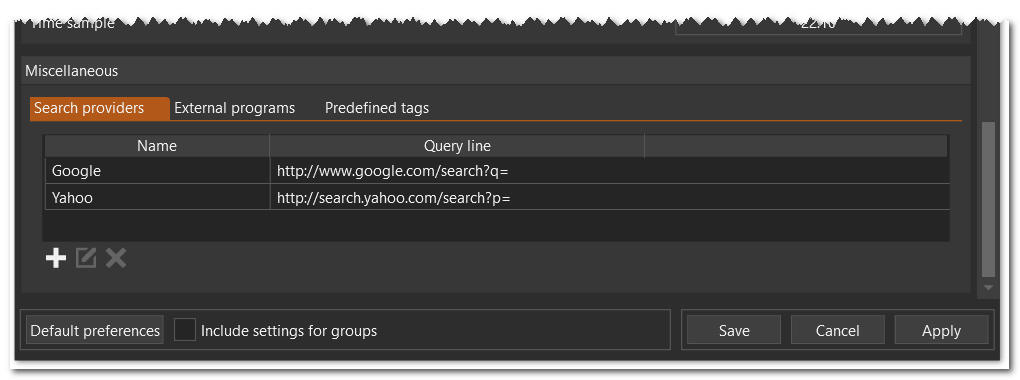
| • | Search providers - specify which search providers will be used for web search of selected note's text |
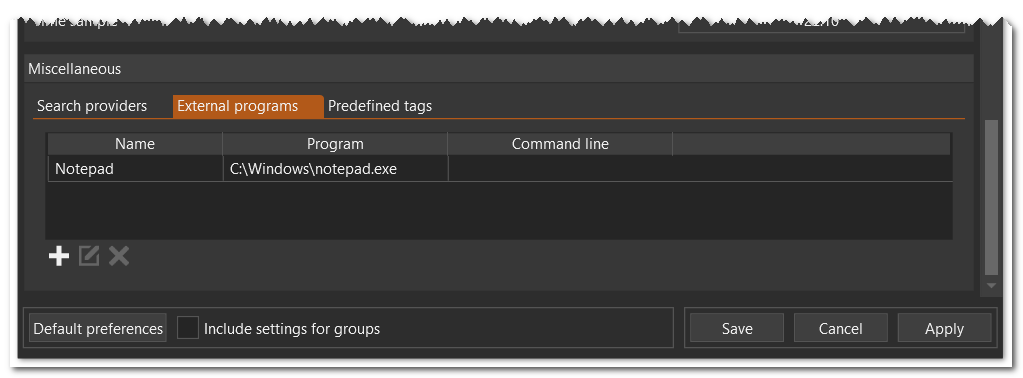
| • | External programs - add, modify or remove links to external programs which you want to run |
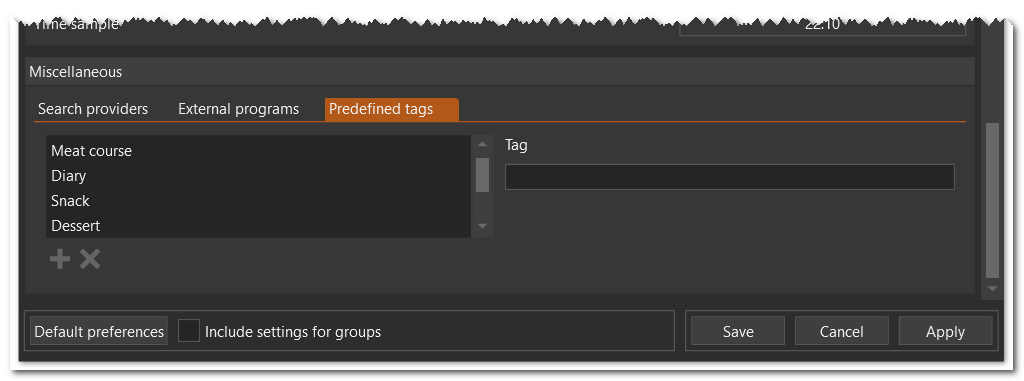
| • | Predefined tags - add, modify or remove predefined tags |


