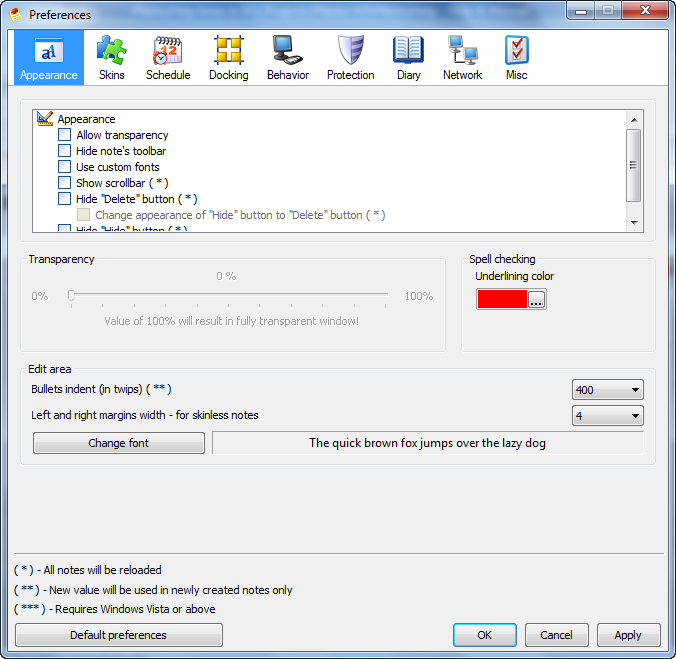
Following options can be set on this page:
| • | Transparency level - select/deselect appropriate checkbox to enable/disable transparency. Set desirable value for transparency. Notice, that value of 255 will result in fully transparent note. |
| • | Underlining color for spell checking |
| • | Note's toolbar - hide/show note's toolbar |
| • | Custom fonts - use custom fonts (the fonts should be located at '[program dir]\fonts' directory). |
| • | Note's scrollbars - select/deselect appropriate checkbox. Notice, that applying this change will force all notes to be reloaded. |
| • | Look-&-feel of "Hide" and "Delete" buttons - select/deselect appropriate check boxes to show/hide "Delete"/"Hide" buttons of note and change their appearance. |
| • | Common settings of note's edit area: |
| ► | Bullets/numbering indent - in twips. |
| ► | Left and right margins width - only for skinless notes, because skinnable ones have their own predefined margins. |
| ► | Common notes' font - note's specific formatting can be done on note window. |
More detailed explanation at "How to (appearance)" page.


